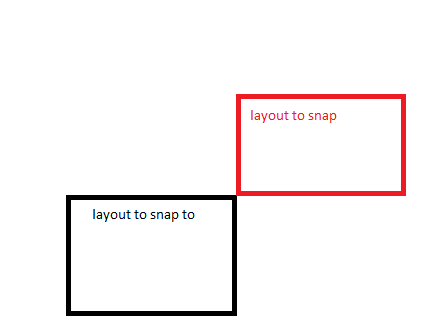
Not sure what is missing here, but the label does not seem to be showing
isc.Label.create({
    ID:"label1",
    height: 80, width: 80,
    contents: "Top Left",
    align: "center",
    backgroundColor: "#FFAAAA",
    border: "1px solid black",
    snapTo:"TR", snapEdge:"BL"
});

isc.Canvas.create({
    ID:"snapLayout",
    height: 300, width: 400,top:400,
    showEdges:true,
    edgeImage:"edges/custom/sharpframe_10.png",
    edgeSize:10,
    canDragResize: true,
    children: [
                label1
        ]
});

isc.HLayout.create({
ID:    "controlLayout",
membersMargin: 20,top:200,
height: 800, width: 1000,
members: [
    snapLayout
    ]
});
I also tried with V/HLayout and V/HStack and these set of properties seem to work differently - it doesn’t even snap to the top right. Is snapTo functionality solely for canvas instance? I thought it would work the same for subclasses
isc.Label.create({
    ID:"label1",
    height: 80, width: 80,
    contents: "Top Left",
    align: "center",
    backgroundColor: "#FFAAAA",
    border: "1px solid black",
    snapTo:"TR", snapEdge:"BL"
});

isc.VStack.create({
    ID:"snapLayout",
    height: 300, width: 400,top:200,
    canDragResize: true,backgroundColor:"black",
    children: [
                label1
        ]
});

isc.HLayout.create({
ID:    "controlLayout",
membersMargin: 20,
height: 800, width: 1000,backgroundColor: "yellow",
members: [
    snapLayout
    ]
});