Hi,
We recently noticed that, certain values in the combobox item is blowing up. The closest I can reproduce is here in the show case.
from the show case add the bellow values using the other option,
- if I add a value as <template>, the combobox is showing empty list.
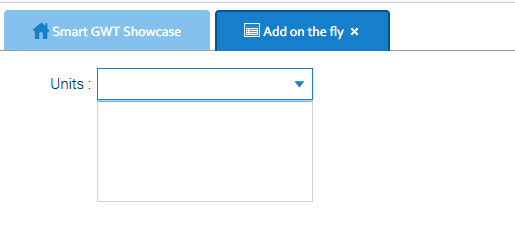
- Add value as <abc> or some other value, The value is showing as empty.
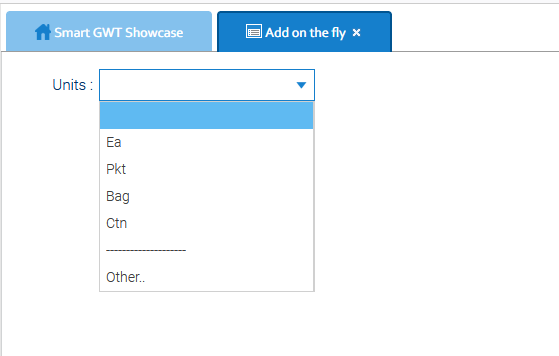
Can you please verify and let us know if it can be fixed by the code or in the new build.
Thanks
<abc> is HTML, and <template> is also an internal HTML element that doesn’t render and would indeed hide subsequent content in the absence of a closing </template>.
The way to show those values is to escape them, with escapeHTML - however, while this works on SelectItems, there was an internal restriction that prevented it from working on ComboBoxItems.
We’ve made a change and you can retest with tomorrow’s build.
Thank you for the quick response. Is it fixed in today’s build?
The show case is still showing the same.
Thanks
Yes it is.
What do you mean that the Showcase is showing the same? The showcase doesn’t use anything like <template> in any pickers.
Hi,
If I add the <template> or <abc>, as specified in post#1, it still behaving the same. So the fix is to show the html elements ?
Thanks
You can’t make code changes in the SGWT showcase, so this must be some other local code that you have - note that, in the SmartClient (javascript) showcase, you can make changes to samples, and SGWT is generated from SmartClient; most misbehaviours in SGWT would be reproduced in SmartClient.
As we noted, if you want to escape HTML in the picker values, you need to set escapeHTML on the item.
Also note for the future - it’s important to let us know your environment, framework release/date, browser, etc, when you post, and to be exact about how you’re reproducing issues. If it isn’t clearly reproducible, we need a runnable test-case in order to investigate.
Thank you for the quick response. Sorry I thought it will be fixed in show case too. I will test in my local and update you.
Thanks
Following up, there’s a little confusion here - you posted in the SmartClient forum but linked to a SmartGWT sample, and you can’t edit the SmartGWT samples.
If you’re actually testing in the SmartClient Showcase, you can try out the fix by going here and sticking this code in the “variousControls” tab:
isc.DynamicForm.create({
    ID: "df",
    fields : [
        {
            name: "combo1", title: "Object valueMap", editorType: "ComboBoxItem", escapeHTML: true,
            valueMap : { "abc" : "<abc>", "template" : "<template>", "other" : "Other" }
        },
        {
            name: "combo2", title: "Array valueMap", editorType: "ComboBoxItem", escapeHTML: true,
            valueMap : [ "<abc>", "<template>", "Other" ]
        },
    ]
});
I am able to test using the link provided and it looks good now.
Appreciate your quick response and support.
We can close this now.
Thanks
Hi,
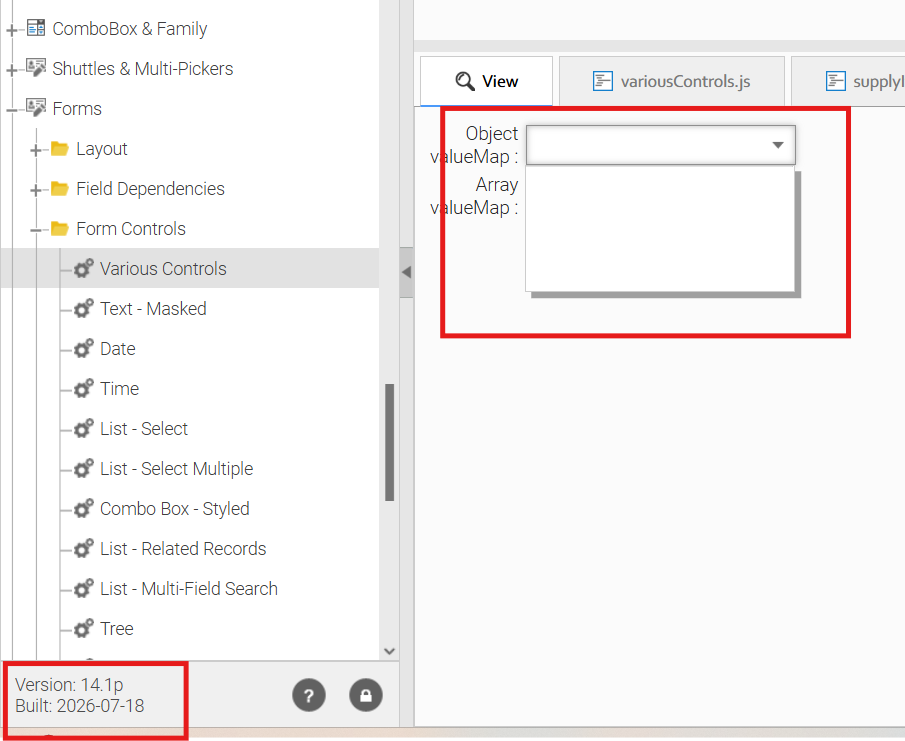
This issues was fixed in version 14.1p-07-01-2026 build and I am trying to test again with the latest version of 07-18-2026 build and it looks like its failing again.
here is the code and link using to test.
isc.DynamicForm.create({
ID: “df”,
fields : [
{
name: “combo1”, title: “Object valueMap”, editorType: “ComboBoxItem”, escapeHTML: true,
valueMap : { “abc” : “<abc>”, “template” : “<template>”, “other” : “Other” }
},
{
name: “combo2”, title: “Array valueMap”, editorType: “ComboBoxItem”, escapeHTML: true,
valueMap : [ “<abc>”, “<template>”, “Other” ]
},
]
});
here is the output:
Can you please verify and fix it.
Thanks
Following internal discussion, we audited this area and fixed a number of issues with escaping, and with valueIcon inclusion in hovers.
The long-standing intentional behavior of ComboBoxItems has been to always render HTML in the picker, ignoring the value of item.escapeHTML - our previous tweak made the picker respect escapeHTML and changed that long-standing behavior - so, we added a separate setting which has not yet been documented, item.pickerEscapeHTML.
For the moment, you can use that to force escaping in the item’s picker by setting it to true (it defaults to false on Combos only), or to null - if you set it to null, the picker will respect item.escapeHTML, which is default true on ComboBoxItems.
We’ll update here when we make that setting public, or if we document a different approach.
Hi,
Thank you for the quick response. The solution you provided works for SmartClient. However, we are using SmartGWT, and the original defect is related to SmartGWT.
In SmartGWT, I was able to make it work by setting the following attribute:
comboBoxItem.setAttribute(“pickerEscapeHTML”, “true”);
Do you think this is the only way to enable this feature, or is there a direct method available, similar to:
setEscapeHTML(true);
Can we expect a method such as the following to be available in the future?
setPickerEscapeHTML(true);
Thanks
We’ve made it public for tomorrow’s builds, so you’ll have setPickerEscapeHTML().
Thank you for the quick fix.
Can you please let me know if this fix will be implemented in 12.1p too.
Thanks
Almost certainly not - that’s an old version.
Can you please clarify which version you are actually using? You have now requested fixes in a number of different versions, and you continue to post in the SmartClient forums, when you appear to be using SmartGWT, but this is the first time you have mentioned 12.1
Sorry, accidentally posted here in smart client forum and thank you for your quick responses. if you like I can post in smartgwt forum.
We upgraded to 14.1p but we still need to support our old version of code and we are on the latest version which is 12.1p pro 2026-05-29.
Thanks