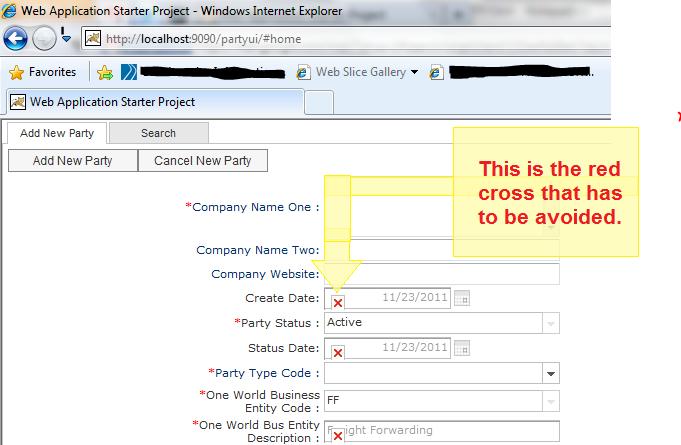
I have attached the HTML file that starts the application as well the screen shot of the issue.
In Internet Exlporer the disabled fields show a red cross.
I have tried running the application in Quirks mode i.e. by removing the doctype but the application stops working if I do that.
Can you suggest a better solution to work with this?
Please reply soon.
As I already mentioned doing so just stalls the application and it doesnot work in any browser.
If this is the only solution then what can be the reason that the application stops working?
What can be probable solution for that???
That red cross what IE shows for a missing image, and indicates some kind of bad skin setting or images you didn’t deploy. For one, see the QuickStart Guide section on switching skin and make sure you aren’t loading two skins as the instructions explain. If that doesn’t appear to be the problem, use IE’s Developer Tools (f12) to see what attempted image load results in a 404.
As far as changing doctype, SmartGWT works fine with other DOCTYPEs, but perhaps some other library you are using fails catastrophically.