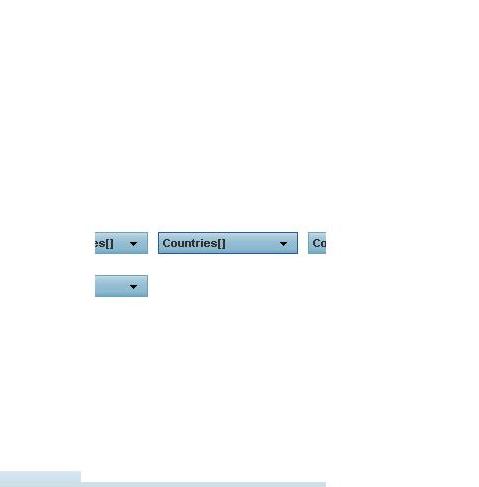
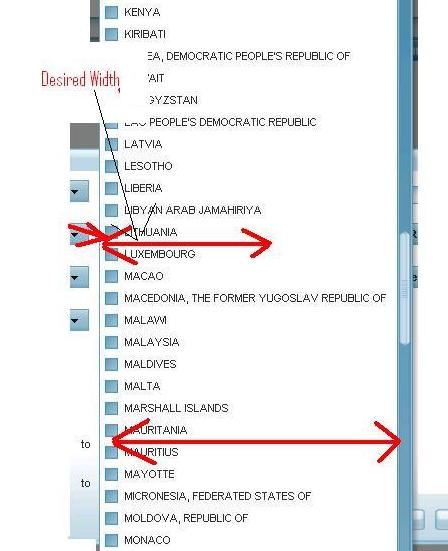
I have a multiple select menu (added to a menuButton) . Problem is when clicked on Menu button , the menu which opens up below is very wide. As it expands to the biggest value stored in it. (which in our case is only 1).
i tried to set the fit width using following :
autoFitData: "horizontal",
autoFitMaxWidth:85,
This doesn’t seem to work.
isc.defineClass("MultipleSelectDropDownFromMenu","Menu");

isc.MultipleSelectDropDownFromMenu.addProperties({
	autoDraw: false,
    showShadow: true,
	autoDismiss:false,
    autoFetchData:false,
	selectionAppearance:"checkbox",
	selectionType: "simple",
	showSubmenus : false,
	showIcons:false

});


isc.MultipleSelectDropDownFromMenu.create({
    ID: "countriesSelectDropDownMenu",
	autoFitData: "horizontal",
    autoFitMaxWidth:85,
	cellClick:function(){
		var titleVal = getTitleText(countriesTitle, this.getSelection().length);
		countriesSelectMenuButton.setTitle(titleVal);
	}
});

isc.MenuButton.create({
    ID: "countriesSelectMenuButton",
    title: getTitleText(countriesTitle),
    width: 140,
    menu: countriesSelectDropDownMenu
});
As Menu inherits from ListGrid , this should work! Any pointers to what is wrong here?
Thanks